Balancing Work & Caregiving
DWEL is a Caregiving Benefit that supports employee caregivers by orchestrating the daily care for your loved one in a way that minimizes the impact on workday demands. With gentle voice check-ins, simple scheduling, and timely updates, you can stay informed without constant calls, texts, or worry.
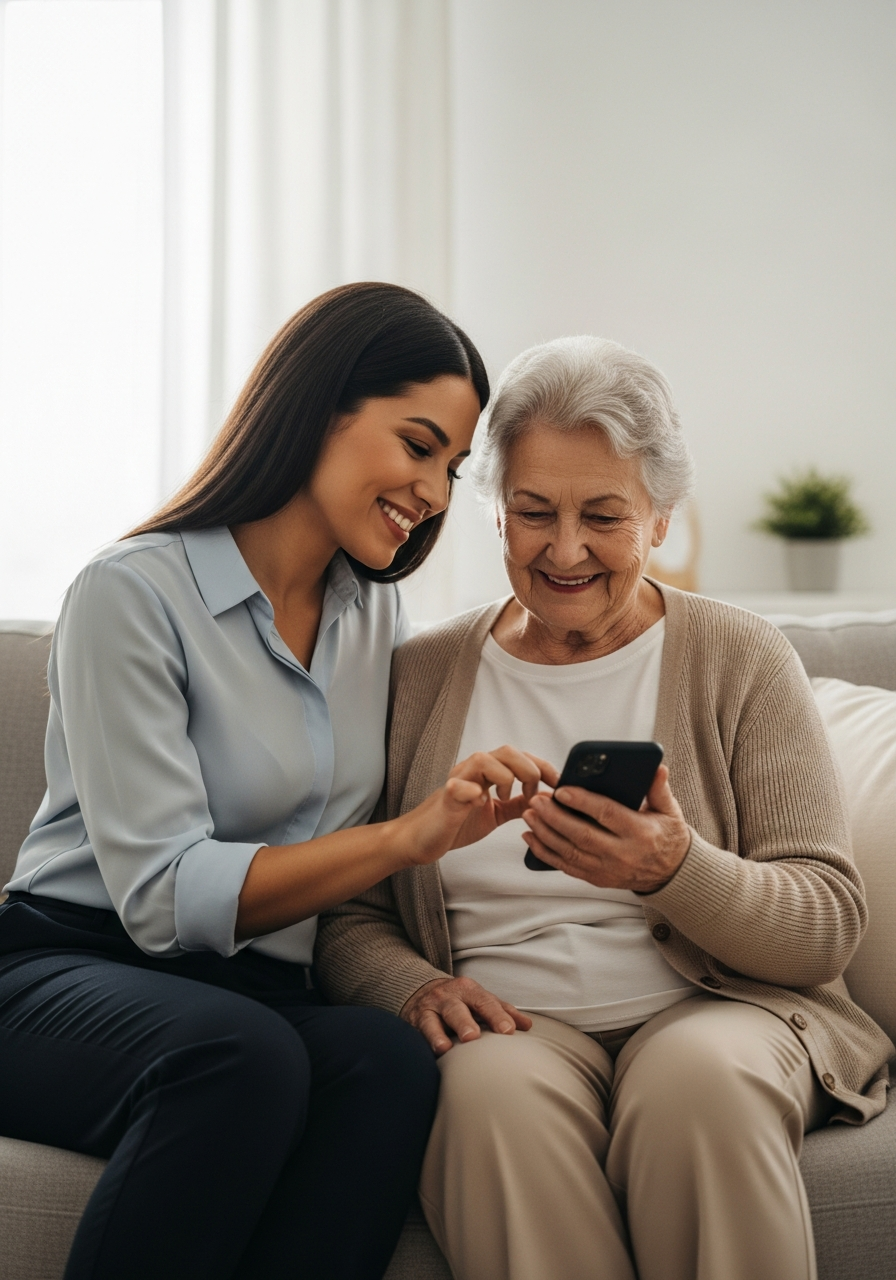
You are managing a lot, every day
- Checking in
- Coordinating schedules
- Managing medications
- Scheduling transportation
- Getting groceries
- Communicating with other caregivers
Even when everything is fine, it takes time.
Care continues, without constant effort
DWEL checks in, coordinates, tracks, and notifies via text and email. You stay informed without managing everything.
Fewer interruptions during your day
- Less calling
- Less coordinating
- Less follow-up
Know what is happening at a glance
- How they are doing
- What is done
- What is next
The Caregiver Dashboard
On the dashboard, you can schedule voice check ins, events and appointments, rides, and order essential items to be delivered.
Dashboard Overview
Review check-ins and trends
See how to review past voice check-ins, view sentiment trends, and customize your notification settings.
How to Schedule Voice Check-ins
Setting up voice check-ins is straightforward. You define the check-in settings: when and how often your loved one receives a call — daily, a few times a week, or whatever feels right.
You can adjust the schedule at any time, and DWEL takes care of the rest. No complicated setup, no app to install — just a simple schedule that keeps everyone connected.
Schedule Check-ins
Set up and manage schedules
See how easy it is to set up and manage voice check-in schedules.
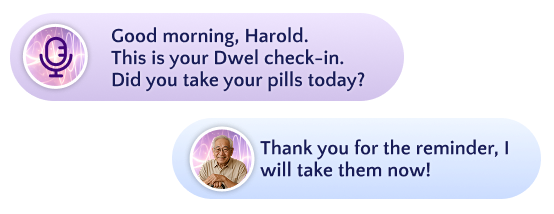
What a voice check-in looks like — friendly, conversational, and takes less than a minute
Monitor and Customize Your Care Experience
As a circle of care member, you have full visibility into past voice check-ins. Each call includes a sentiment analysis — color-coded as green, yellow, or red — so you can quickly see how your loved one is doing over time.
You can also customize exactly how you receive notifications for voice check-in events — such as completed calls, missed calls, emergency trigger words, and newly scheduled check-ins. Choose between email, text message, or both.
The same level of control applies to ride notifications — from booking confirmations and driver dispatch alerts to arrival updates. You decide what you want to know and how you want to hear about it.
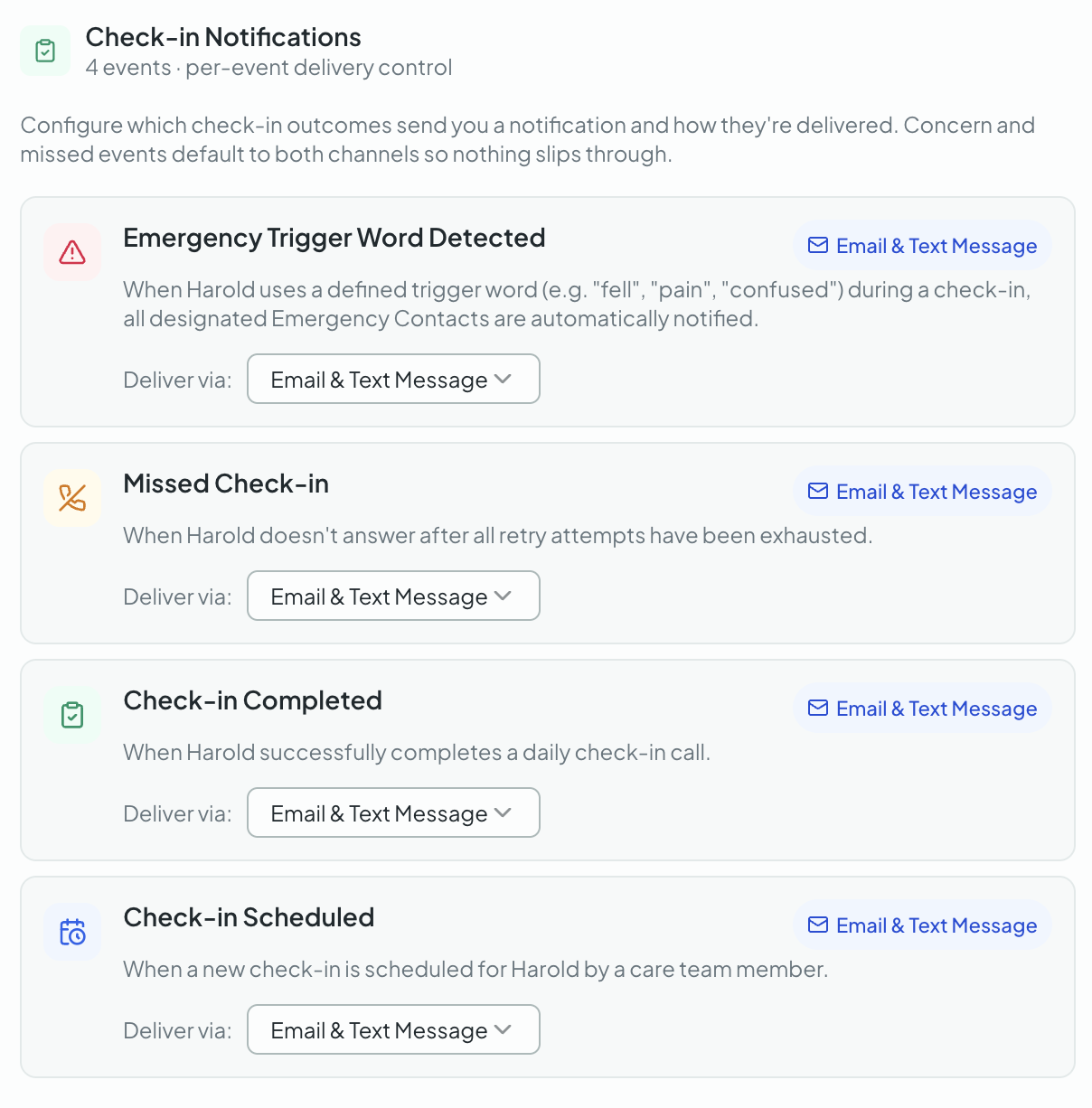
Customize voice check-in notification preferences
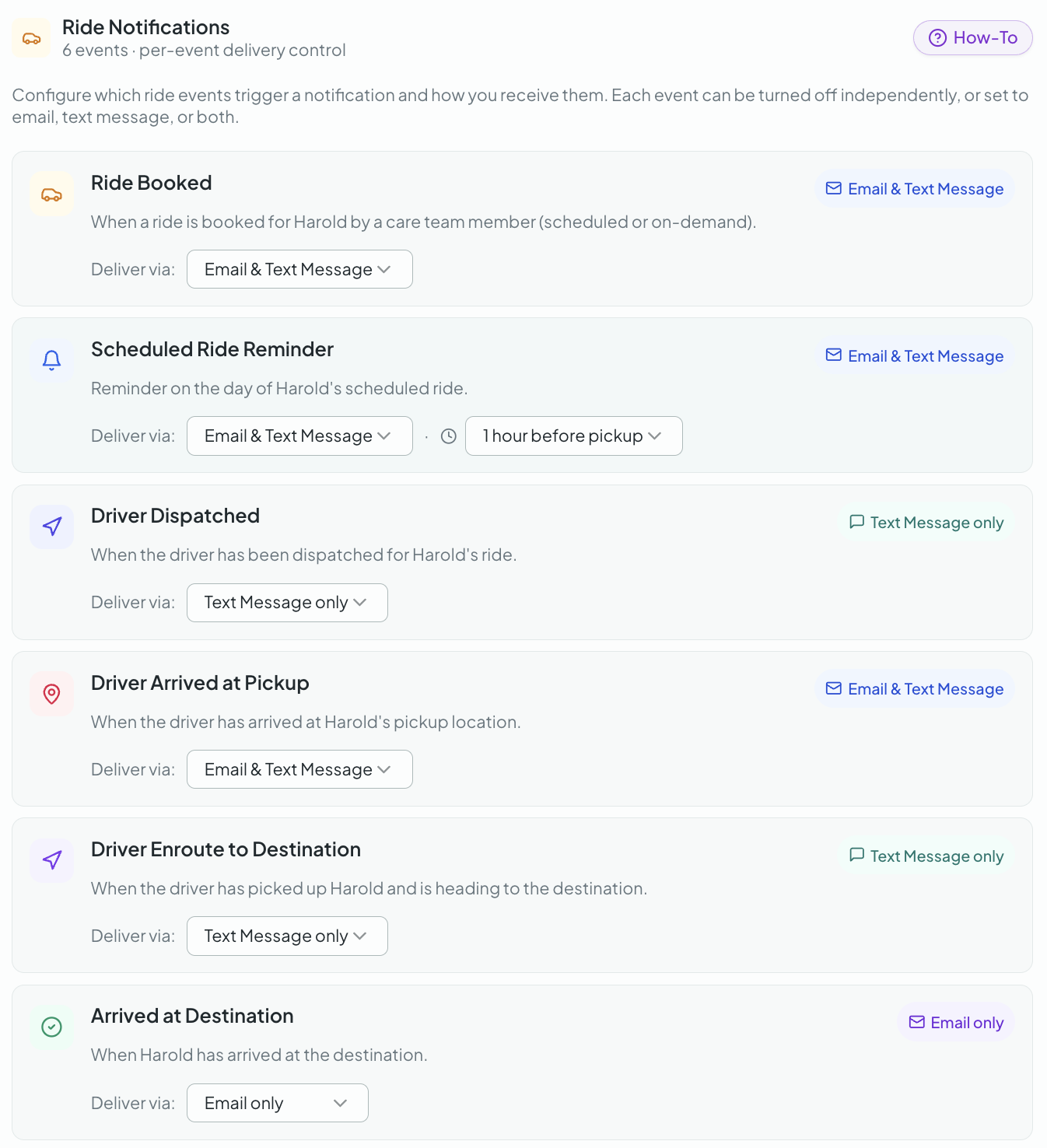
Customize ride notification preferences
What happens throughout the day
Morning
DWEL checks in with your loved one
During the day
Scheduled activities happen as planned
After each step
DWEL confirms what happened
If everything is fine
You see a simple update
If something needs attention
You are notified right away
You stay in charge
You decide voice check-in frequency, what gets scheduled, and when to step in.